
Transact Backend Setup for Campuses
In order to setup the integration between your Transact instance and Reusables, the following steps must be taken:
The integration fee must be paid to Transact to enable the integration. Your Reusables account manager will help expedite this process prior to launch
Reusables needs to receive your Institution Route ID and the desired Tender Number to be used by the integration, these details can be sent to alex@reusables.com
Reusables needs to order, or be given access to, sufficient MRD5 readers to support the scope of the card-present integration (one reader per checkout lane where Reusables will be offered)
The Reusables app must be given permission to interact with your Transact instance, and the use of eAccounts with the Reusables app must be enabled, see step by step below
Enabling the Reusables app on your Transact Instance
TSE Main (Transact UI administered by the school)
“POS” profile added to the merchant/profit centre as determined by the school
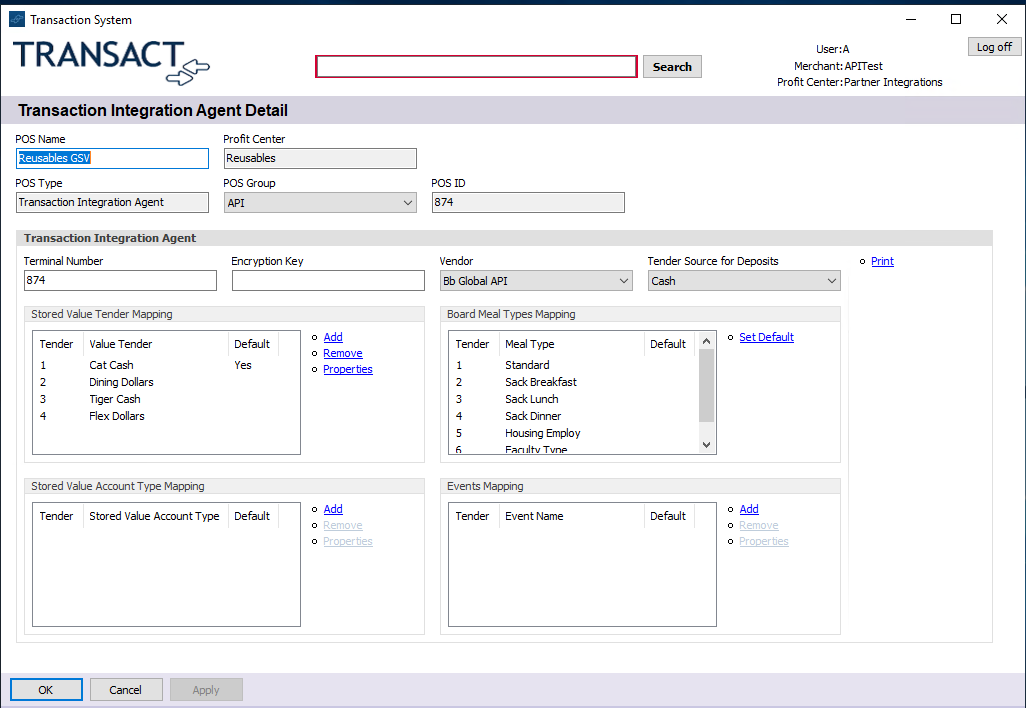
Tender(s) enabled for the POS profile
Policy rule to allow transactions for the new Reusables “POS” profile at the merchant/profit centre
eAccounts “System Portal”:
Create Global Merchant Detail to map IRID to “POS” profile
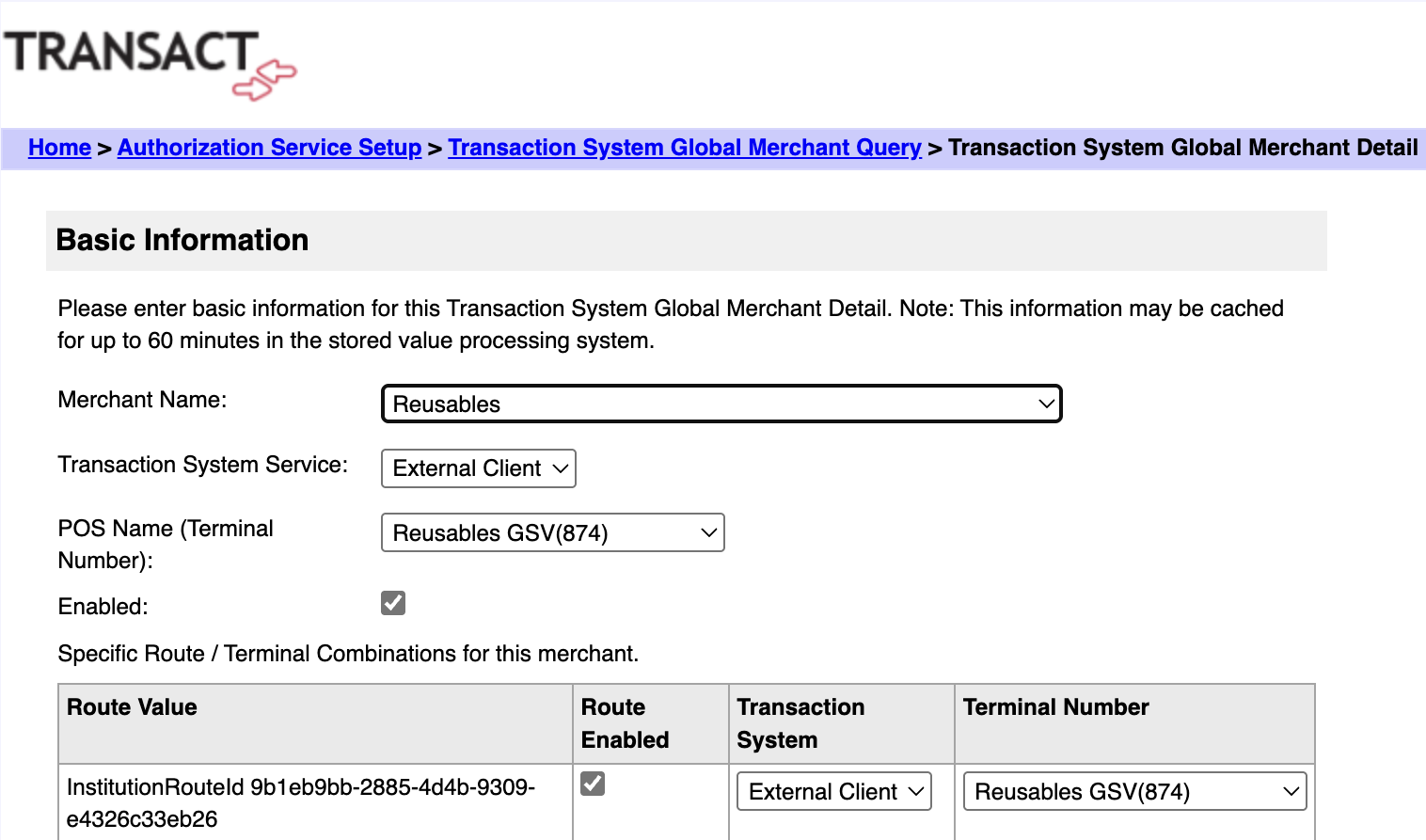
Enable Reusable App’s ability to “see” and transact with the Institution via this checkbox
